Design GRUB 2 themes visually.

No blind config, zero reboots.

The desktop studio to craft, emulate, and export your bootloader theme in one click. 100% offline.

Why Grub Designer Exists

Leave the blind theme.txt reboot loop behind.

Traditional GRUB theming forces you to calculate relative coordinates by hand, compile fonts in the terminal, and reboot just to spot a 4 px misalignment.

Manual Workflow~15× Reboot / VM Loop per theme

Raw text files & fragile guesswork

  • Hand-editing nested theme.txt blocks with fragile 50%-190 relative math
  • Running grub-mkfont CLI flags on Linux every time a font size changes
  • Rebooting physical hardware or spinning up slow VMs for every tweak
ERR: indexed PNG alpha mismatch theme.txt:42
left = 50%-260 # ??? guess center offset $ grub-mkfont -s 16 -o font.pf2 JetBrains.ttf $ sudo update-grub && reboot # 15th try...
Grub Designer0 Reboots · Instant Visual Feedback

What you see is what you get

  • Magnetic Smart Guides & 3×3 anchor matrix mapped directly to GRUB units
  • Live 9-slice pixmap box editor with automatic border slicing on export
  • 0 ms interactive keyboard emulator faithful to GRUB 2 gfxmenu layout
9-Slice Box · 50%-112
Five Core Superpowers

Engineered for real GRUB 2 rendering rules.

Every tool inside Grub Designer mirrors how GNU GRUB 2 actually parses layouts, slices PNGs, and renders bitmap fonts at boot.

01 / 05Layout Engine

1:1 GRUB 2 C-Engine Fidelity

True-to-spec support for GRUB 2 hybrid coordinates (50%-190), 9-slice pixmap boxes, progress bars, circular gauges, and distro icon sets.

Unit Engine: 50%-260 9-Slice: c / n / s / e / w
02 / 05Interactive Preview

0 ms Interactive Boot Emulator

See the final result instantly — no need to launch a VM or use CLI tools, all without leaving your editor.

▲▼EnterecEsc
__timeout__
03 / 05Cross-Platform

Built-in PF2 Converter

Use the built-in, cross-platform .pf2 converter — no more grub-mkfont.

Inter-Bold.ttf→ .pf2 (WASM)
14px16px24px32px
04 / 05AI-Ready

Local AI MCP Server (30 Tools)

Connect your AI assistant over Model Context Protocol (MCP) to inspect layers, generate cohesive palettes, and iterate on layouts.

“Center the hbox component and change the background color to #8a8a8a”
05 / 05Safe Deployment

1-Click .zip + install.sh

Export a self-contained theme archive with theme.txt, sliced PNGs, PF2 fonts, and a transparent install.sh script. The app never touches /boot.

theme_name.zip
├── install.sh
├── theme.txt & fonts/*.pf2
└── icons/ & theme.project.json
Why Choose Grub Designer

How Grub Designer compares to existing workflows.

Built specifically for visual GRUB 2 theme authoring — without modifying your system bootloader configuration.

CapabilityGrub DesignerManual Text + CLIBoot Config ToolsGeneric Web Editors
Visual Drag-and-Drop Canvas & Smart GuidesYes———
True 1:1 GRUB 2 gfxmenu Relative UnitsYesVia reboot——
Live 9-Slice Pixmap Box EditorYesManual PNGs——
0 ms Interactive Keyboard Boot EmulatorYesQEMU (slow)—Approximate
Built-in Cross-Platform PF2 Font ConverterYesLinux CLI only——
Local AI MCP Server (30 Studio Tools)Yes———
100% Offline Desktop App (Zero Telemetry)YesYesYesCloud only
Safe .zip + install.sh Export (Never Edits /boot)YesManualEdits /boot directlyRaw text only
Theme Showcase

Start from a polished theme or customize every pixel.

Explore boot themes created with Grub Designer — ready to install or open directly in the studio.

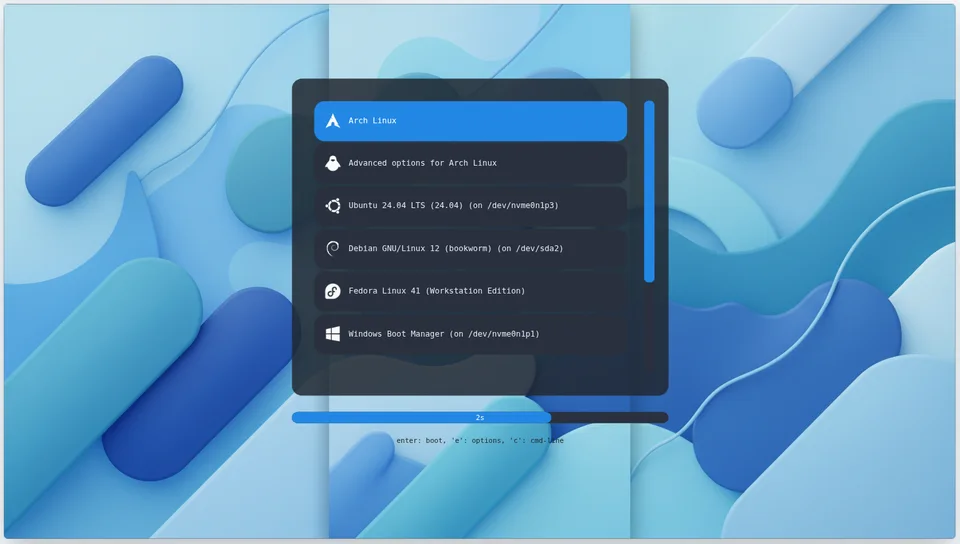
Orange Ub
1080p+

Orange Ub

Free

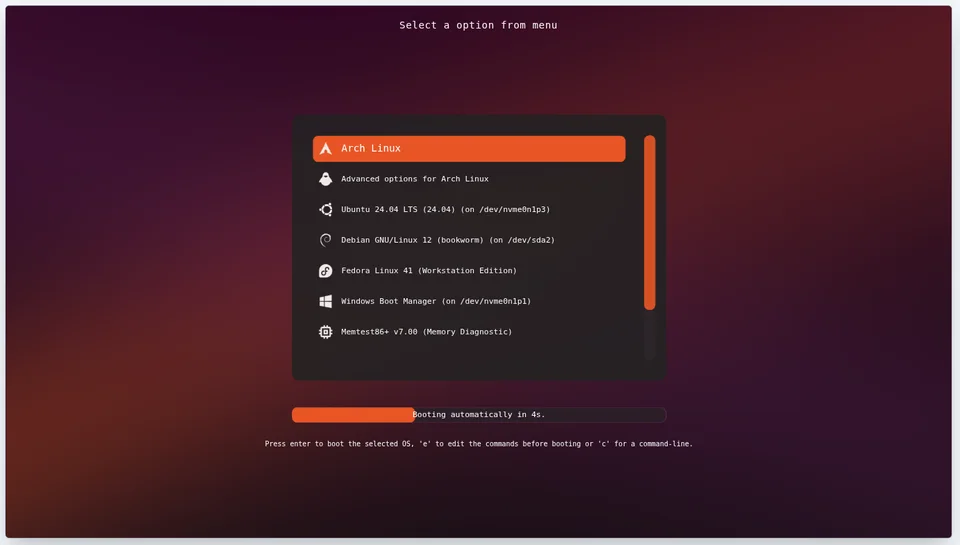
Warm plum-to-ember dark boot screen with a high-contrast burnt-orange selection pill, matching progress bar, and crisp monochrome OS icons.

Blue MD
1080p+

Blue MD

Free

Bright 3D sky-blue geometric backdrop paired with a dark floating menu card, rounded selection pills, and a clean blue countdown bar.

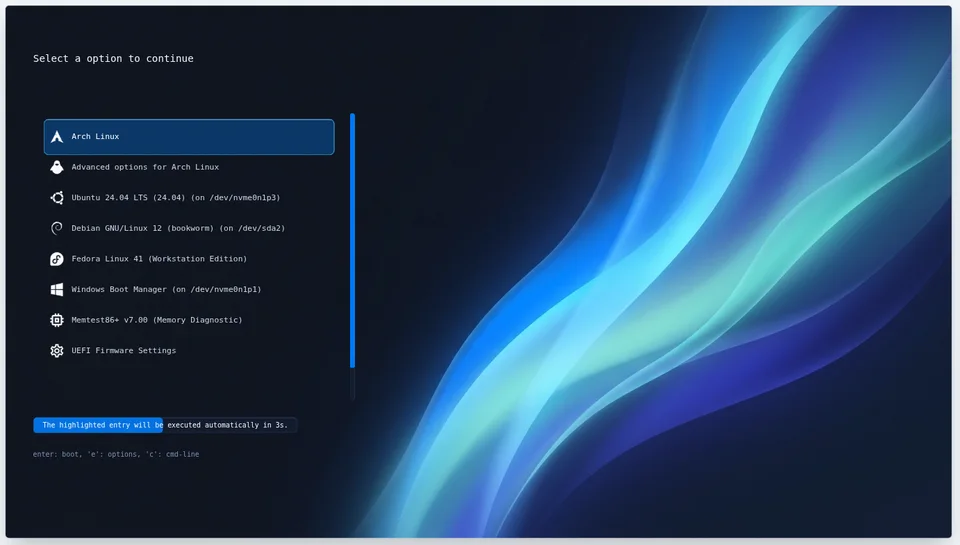
Aurora Dep
1080p+

Aurora Dep

Premium

Asymmetrical midnight canvas illuminated by flowing cyan-and-indigo aurora ribbons, translucent glass selection highlight, and sleek vertical accent bar.

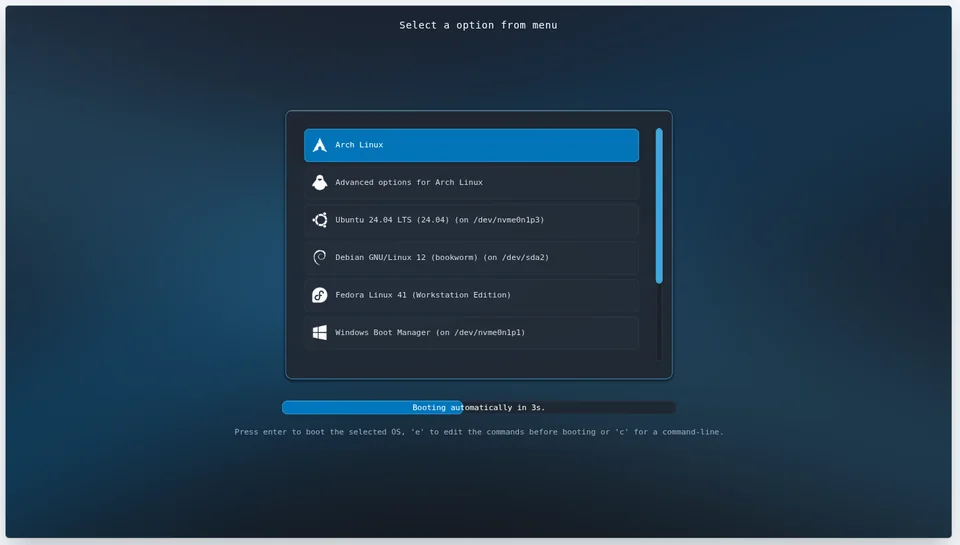
Blue Ku
1080p+

Blue Ku

Premium

Calm midnight-blue radial backdrop with a bordered floating menu panel, ocean-blue active highlight, and synchronized boot progress bar.

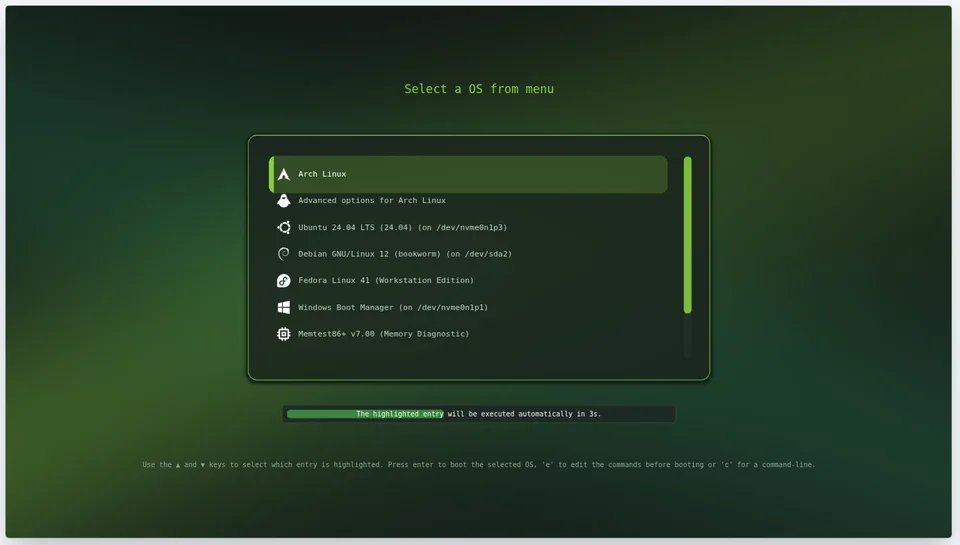
Esmerald
1080p+

Esmerald

Premium

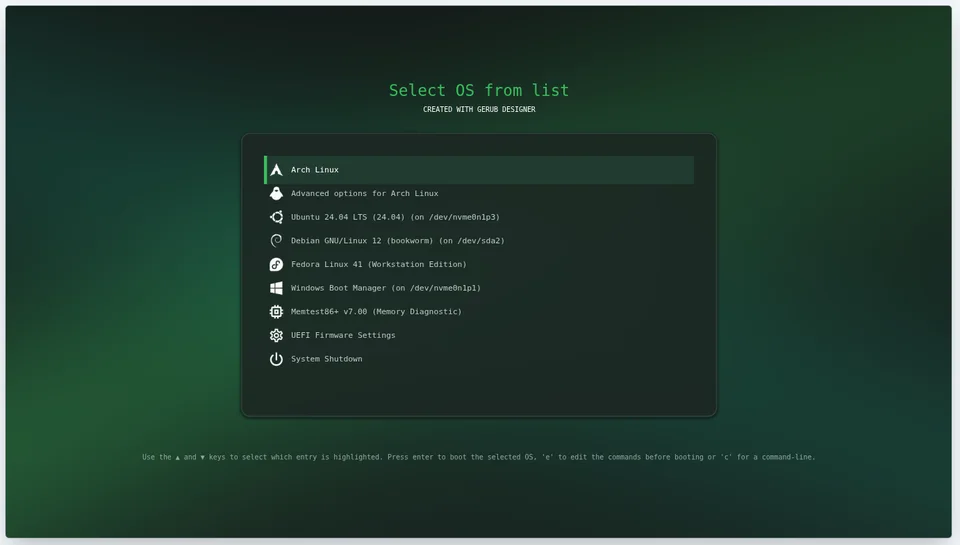
Rich forest-green gradient theme with a subtle framed menu box, left-accented emerald highlight, matching scrollbar, and smooth countdown bar.

Green Mj
1080p+

Green Mj

Premium

Ultra-minimalist deep teal-and-forest boot menu featuring a distraction-free list, sharp emerald selection indicator, and crisp monochrome icons.

Every official theme includes both the ready-to-run install.sh package and the editable project JSON so you can tweak colors, fonts, or layout inside Grub Designer.

Premium themes are a one-time purchase (no subscription), with pricing automatically displayed in your local currency on Buy Me a Coffee.

Made for Everyone

Download and start creating — your imagination is the limit.

Built by an independent developer. No accounts, no strings attached, and cross-platform.

Frequently Asked Questions

Safety, compatibility, and privacy answered.

Clear technical answers before you install anything on your machine.

Will Grub Designer modify my /boot partition or risk breaking my system?

No. Grub Designer never writes to /boot, /etc/default/grub, or runs sudo update-grub automatically. It only exports a clean .zip folder containing your theme assets and a human-readable install.sh script that you can inspect and run whenever you choose.

Which Linux distributions and dual-boot setups are supported?

Any system using GNU GRUB 2 with gfxmenu support — including Ubuntu, Arch Linux, Fedora, Debian, Linux Mint, EndeavourOS, Pop!_OS (GRUB setups), and Windows/Linux dual-boot machines. You can also design themes on Windows or macOS and export them for your Linux machine.

Which image formats are supported, and what should I know about PNG bit depth?

Grub Designer and GRUB 2 support PNG (.png), JPEG (.jpg / .jpeg), and TGA (.tga); use PNG or TGA for 9-slice boxes, icons, and assets needing transparency. For PNG files, color bit depth matters: the GRUB 2 gfxmenu engine expects 8-bit-per-channel PNGs (24-bit RGB or 32-bit RGBA, non-interlaced). 16-bit-per-channel, indexed/palette-based, or interlaced PNGs may fail to load or render corrupted on real hardware boot.

How does the built-in MCP server for AI assistants work?

Grub Designer ships with a local Model Context Protocol (MCP) server that you can enable from the top bar or Preferences → MCP Server (bound strictly to http://127.0.0.1:3847/mcp). Once connected, any MCP-compatible AI assistant can create and edit layers live on your canvas, audit your theme, generate graphic assets (backgrounds, 9-slice boxes, gradients, icons, circular gauges, and more), and export your project.

Does Grub Designer collect telemetry or require an internet connection?

Never. Grub Designer runs 100% offline on your desktop with zero analytics, zero crash trackers, and zero account sign-ups.

How do I install a theme exported by Grub Designer?

Unzip the exported archive, review the included install.sh script, and run it from your terminal (or copy the theme folder manually to /boot/grub/themes/ and reference theme.txt in /etc/default/grub followed by grub-mkconfig).

Cross-Platform Desktop App

Download Grub Designer

Native desktop packages for Linux, Windows, and macOS.

Linux

Detected for your OS

AppImage · .deb · .rpm

x86_64 & ARM64

macOS

Universal .dmg

Apple Silicon & Intel
Independent Software

Enjoying Grub Designer? Fuel the next release.

Grub Designer is crafted independently without venture funding or ads. Pick up an official theme pack or buy the developer a coffee to help fund new studio tools.